









-
Walking over to an air purifier multiple times a day to crank the fan up during cooking, dial it down for a phone call, and set it to low before bed gets old fast. The good news: smart air purifiers with built-in air quality sensors handle all of this automatically. No more babysitting the fan speed dial.
Why Manual Adjustment Wastes Time and Air Quality
Manually adjusting an air purifier means reacting to problems after they happen. The cooking smoke is already filling the room before someone walks over and turns the fan up. Pet dander has been circulating for hours before anyone notices the unit is still on its lowest setting.
Air quality changes constantly throughout the day. Cooking, cleaning, opening doors, and even just walking across a carpet stir up particles. A smart air purifier with sensors detects these changes in real time and responds within seconds, keeping particle levels consistently low without any human involvement.
How Air Purifier Auto Mode Works

-
Auto mode relies on built-in sensors that continuously measure particulate matter in the air.
PM2.5 Sensors
Most smart air purifiers for medium rooms include PM2.5 sensors that detect fine particles like dust, pollen, smoke, and pet dander. When the sensor registers a spike, the fan speed increases automatically. When levels drop back down, the fan slows to save energy and reduce noise.
Advanced Multi-Sensor Systems
Higher-end models with three advanced sensors track PM1, PM2.5, and PM10 particles simultaneously. Monitoring all three size ranges gives the unit a more complete picture of air quality, allowing more precise adjustments. Tiny combustion particles, mid-range allergens, and larger dust particles each get tracked individually.
Color-Coded Air Quality Display
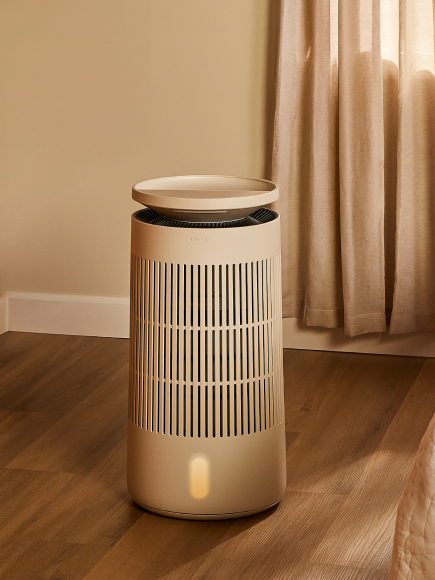
A 5-color LED display on the unit shows current air quality at a glance. Blue or green means the air is clean. Yellow, orange, or red signals rising pollution. The display provides visual confirmation that auto mode is working without needing to check the app. Understanding what the indicator light colors mean helps interpret the feedback at a glance.
Smart Features That Eliminate Daily Adjustments

-
Beyond auto mode, several smart features make air purifier management completely hands-off.
Scheduling Through the App
Setting a daily schedule through the Blueair app means the purifier runs at the right times without reminders. Program it to run on a higher speed during typical cooking hours, switch to night mode at bedtime, and drop to eco settings when nobody is home. A compact smart purifier with app connectivity handles all of this from a phone.
Welcome Home Mode
Geofencing technology detects when a phone (and its owner) is approaching home and automatically turns the air purifier on. Walking through the door into already-filtered air is a noticeable upgrade from manually powering the unit on after arriving.
Night Mode
Night mode automatically dims displays and drops fan speed to whisper-quiet levels at a set time. No more getting up to adjust settings before sleep. Spending 7 to 9 hours breathing filtered air during sleep has measurable effects on congestion, allergy symptoms, and overall rest quality. More on how air purifiers improve sleep quality covers the data behind overnight filtration.
RealTrack Filter Monitoring
Smart purifiers with RealTrack technology monitor filter condition based on actual usage and pollution exposure, not a generic countdown timer. The app sends an alert when the filter genuinely needs replacing, so there is no guessing, no premature changes, and no running a clogged filter past its useful life. Common filter replacement questions cover how the tracking works in practice.
What to Look for in a Smart Air Purifier

-
Not every "smart" air purifier delivers the same level of automation. According to the EPA, portable air cleaners are most effective when properly sized for the room and run continuously, making set-it-and-forget-it auto mode essential.
Key features that actually reduce daily intervention include a built-in PM2.5 sensor with auto fan adjustment, Wi-Fi connectivity for app-based monitoring and control, scheduling and geofencing support, night mode with automatic display dimming, smart filter tracking with push notifications, and voice assistant compatibility with Alexa and Google Home.
For homes with multiple rooms, placing a smart purifier in each high-traffic area and managing them all through a single app consolidates control and eliminates the need to physically interact with any unit.
Voice Control for Zero-Touch Management
Pairing a smart air purifier with Alexa or Google Home adds another layer of convenience. Saying "turn up the air purifier" from the couch or "set the bedroom purifier to night mode" before falling asleep removes even the step of picking up a phone.
Voice control is especially useful in kitchens, where hands are often busy, and in bedrooms, where getting up to adjust settings disrupts the wind-down routine.
Set It Once, Breathe Easy Every Day
A smart air purifier with auto mode, app scheduling, and real-time sensors turns air quality management from a daily chore into something that simply happens in the background. The air stays clean. The fan adjusts itself. Filters get replaced when they actually need to be replaced. No more walking across the room to turn a dial. The technology exists to handle all of it, and the difference in convenience and air quality is immediate.
Frequently Asked Questions
Do smart air purifiers use more electricity than manual ones?
Smart air purifiers on auto mode often use less electricity because the fan only runs at high speed when the sensor detects a need. Manual units set to a fixed speed may run higher than necessary for hours.
Can smart air purifiers be controlled remotely?
Yes. Wi-Fi-connected models allow full control through a smartphone app, including fan speed, mode selection, scheduling, and real-time air quality monitoring, from anywhere with internet access.
How accurate are air purifier PM2.5 sensors?
Built-in sensors provide reliable relative readings that effectively trigger auto-mode adjustments. For laboratory-grade precision, a standalone air quality monitor can supplement the built-in sensor data.
Does auto mode run the air purifier 24/7?
Auto mode keeps the unit running continuously but adjusts fan speed based on detected air quality. When the air is clean, the fan drops to minimal speed and energy consumption. Continuous operation is recommended because pollutants enter indoor spaces constantly through doors, ventilation, cooking, and pet activity. Turning the unit off allows particle levels to rise, and the purifier must then work harder to re-clean the accumulated load when restarted.
Are smart air purifiers louder than basic models?
Smart and basic air purifiers with similar CADR ratings produce comparable noise levels. Smart features like auto mode and night mode often result in quieter average operation because the fan only ramps up when needed.
Can one app control multiple smart air purifiers?
Yes. Most smart air purifier apps allow multiple units to be registered and controlled from a single account, making whole-home management straightforward from one phone.
Would an air purifier help with COPD?
Air purifiers can be a valuable part of a COPD management strategy. COPD (chronic obstructive pulmonary disease) makes the lungs more sensitive to airborne irritants like dust, smoke, pet dander, and volatile organic compounds. Reducing indoor particle concentrations with continuous HEPASilent™ filtration lowers the irritant load that compromised lungs must process. Research supports the use of portable air cleaners as a complementary measure alongside medical treatment. Anyone managing COPD should consult a pulmonologist about integrating an air purifier into a broader care plan. More on air purifiers and COPD covers the clinical considerations in detail.
Why is the air purifier running all the time?
In auto mode, a smart air purifier runs continuously by design. When the sensor detects clean air, the fan operates at its lowest speed, consuming as little as 2 to 4 watts, roughly the same as a small night light. When the sensor picks up a spike from cooking, door openings, pet activity, or cleaning, the fan increases speed automatically and then returns to low once particle levels drop. Continuous operation at varying speeds is the most effective and energy-efficient way to maintain consistently clean indoor air.
Can air purifiers reduce asthma symptoms?
Air purifiers with high-efficiency filtration can meaningfully reduce the concentration of common asthma triggers in indoor air, including dust mite debris, pet dander, pollen, mold spores, and smoke particles. Lowering the overall particle load in a room reduces the frequency and intensity of exposure that can trigger bronchospasm. Running a purifier continuously in the bedroom is especially impactful because overnight exposure during sleep hours accounts for a large portion of daily allergen intake. More on air purifiers and asthma discusses trigger reduction in greater depth.
Does an air purifier help with onion smell?
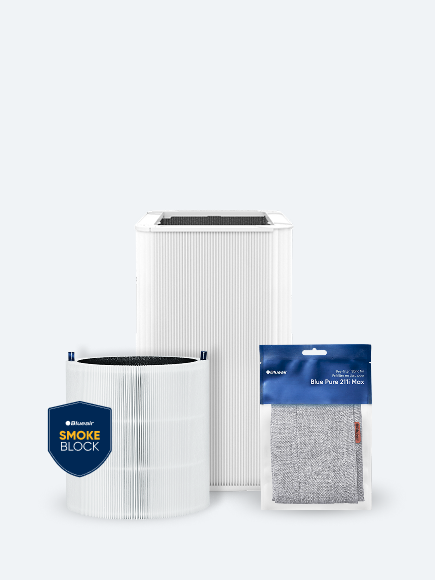
Air purifiers with activated carbon filters can reduce cooking odors, including onion and garlic smells. Carbon adsorbs odor-causing gas molecules as they pass through the filter. Standard particle-only filters capture smoke and grease particulates from cooking, but do not address the gaseous compounds responsible for the smell itself. SmokeBlock and carbon-enhanced filter options offer increased carbon capacity designed for kitchens and cooking environments. For best results, run the purifier on a higher fan speed during and for 15 to 30 minutes after cooking.