













-
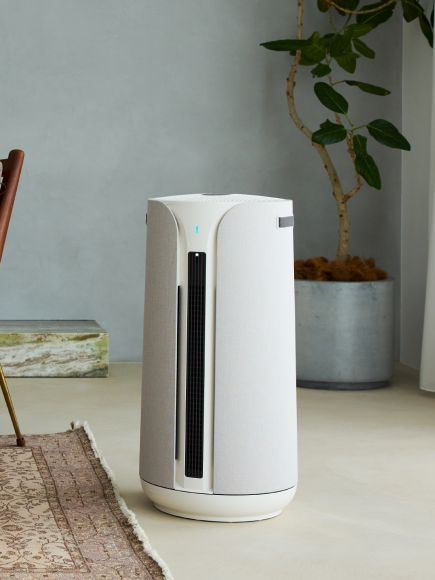
Bringing home the Blueair 2-in-1 Pro means more than just cleaner air—it’s about creating a perfectly balanced environment for your health, comfort, and even your skin. This guide will walk you through the key modes and features so you can get the most out of your device from day one.
Understanding the Core Modes
Understanding the core modes is the first step to getting comfortable with your device.
Auto Mode (Air Purification)
Auto Mode is your “set it and forget it” option for air purification. It automatically adjusts fan speed based on indoor PM2.5 levels, responding in real time to dust, allergens, and pollution to ensure optimal air quality without any manual changes. It’s important to note that the Auto icon controls air purification only and does not affect humidity.
Humidity Auto Mode (Humidification)
For moisture control, Humidity Auto Mode makes it easy to maintain a comfortable environment. You can activate it by tapping the water drop icon on the device or by toggling humidification in the Blueair app. From there, simply set your target humidity level between 30% and 60%. If no level is selected, the device will default to 50%, which is a commonly recommended setting for comfort and health. Once set, the device automatically works to maintain your chosen humidity level, so there’s no need for constant adjustments.

-
What Is Skin Mode (DermaSense™)?
One of the standout features of the 2-in-1 Pro is DermaSense™ Skin Mode, designed to support healthier, more hydrated skin. Your skin is your body’s first line of defense and is highly affected by air moisture.
How Skin Mode Works
Skin Mode uses a proprietary algorithm to automatically adjust humidity levels based on the time of day and the temperature in the room. This allows it to deliver the right level of hydration exactly when your skin needs it most. At night, when your skin naturally loses more moisture, Skin Mode increases humidity output to help prevent dryness and irritation while you sleep.

-
Precision Hydration Throughout the Day
Throughout the day, it maintains a precise balance by adjusting across eight optimized humidity levels between 40% and 60%, supporting your skin’s natural moisture cycle. Best of all, it’s effortless to use. With just one tap, DermaSense™ takes over, automatically adjusting both fan speed and humidity levels—no guesswork or manual toggling required. For the best results, be sure to connect your device to the Blueair app so it can sync with your local day and night cycle for perfectly timed moisture control.
Finding Your Ideal Humidity Level
Maintaining the right humidity level in your home is essential for both comfort and health. Seasonal changes and your local climate can greatly impact indoor humidity, but in general, a range between 30% and 50% is considered ideal.
Additional Modes to Customize your Air
In addition to its smart modes, the 2-in-1 Pro includes simple controls for everyday use.
Night Mode
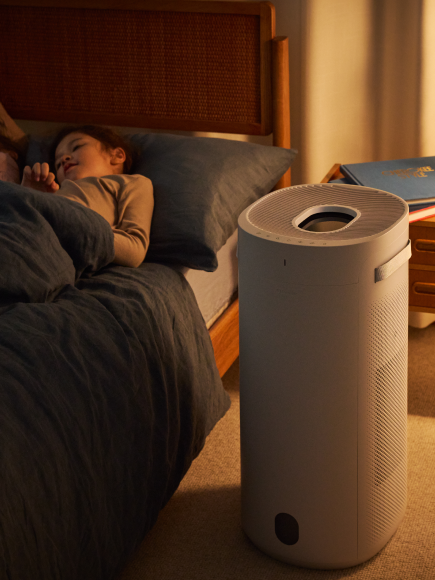
Night Mode reduces the device to its lowest fan speed and dims the display brightness, making it ideal for uninterrupted sleep.
Fan Speed Control
You can manually adjust fan speed between levels one and four, depending on your preference for airflow and noise.
Manual Humidification Control
For direct control over humidification, you can tap once to turn on humidification mode, adjust your desired humidity level using the toggle buttons, and wait three seconds for confirmation. Tapping the button twice will turn the humidification function off.
Smarter Air, Made Simple
The 2-in-1 Pro is designed to make air care simple and intuitive. Whether you rely on Auto Mode for hands-off purification or let DermaSense™ Skin Mode intelligently manage your humidity for better skin and comfort, the device works quietly in the background to improve your environment. By connecting it to the Blueair app and using its smart features, you can enjoy cleaner air, balanced humidity, and a more comfortable home every day.